









How to fix "transaction declined - gateway rejected"

On this page
“Transaction declined - gateway rejected” is one of the most expensive decline messages because it sounds like an issuer problem, but it usually isn’t. In many cases, the payment never makes it to the issuer or is blocked before a clean authorization attempt can succeed. Sometimes, the issue is about the gateway, not necessarily the customer’s payment.
That distinction matters commercially. Gateway-side rejects disproportionately hit high-intent buyers at the exact moment you’ve already paid to acquire them, creating missed revenue opportunities.
Merchants commonly operate across multiple payment gateways, usually 3-4, to maximize flexibility and authorization. That means “transaction declined - gateway rejected” can come from different rule sets and constraints depending on where the transaction was routed. Hence, the first job is to pin down which layer rejected the payment before you start changing risk rules or retry logic.
What does “transaction declined - gateway rejected” actually mean?
“Transaction declined - gateway rejected” means the authorization attempt was blocked inside your gateway layer (or by gateway-adjacent controls) before it could complete as a normal issuer authorization.
The decline comes from gateway logic: risk rules, velocity thresholds, validation checks, duplicate and replay protection, or account constraints. “Transaction declined - gateway rejected” is different from issuer declined in the audit trail. An issuer decline typically comes back with a network or issuer response because the transaction made it through:
Gateway → acquirer/processor → card network → issuer
A gateway rejection usually shows up as a gateway error or response code, sometimes with a rule ID or blocked flag. It may have no issuer or network response at all because it never reached that layer.
The same customer behavior can be accepted on one gateway and rejected on another, which is why diagnosing the layer and route first saves you from focusing on the wrong rule set. From a conversion optimization standpoint, this is frustrating because you lose high-intent checkouts without clear issuer feedback.
Why “transaction declined - gateway rejected” becomes a revenue recovery problem
It makes you lose good demand
Many gateway rules are designed to be conservative, such as velocity caps and suspicious patterns. Those controls do well at catching fraud, but they also generate false positives that block legitimate customers. When a transaction is rejected by the gateway, you don’t have the issuer context to prove it was safe.
It turns paid acquisition into wasted spend
Gateway rejects usually happen at the exact moment you’ve already incurred costs, including paid media and affiliate feeds. Think about it like this: the customer didn’t churn; rather, you stopped the payment. That’s why gateway rejection is a customer acquisition cost (CAC) efficiency problem.
It’s harder to diagnose than issuer declines
Issuer declines at least have standardized network and issuer responses. Gateway rejects are fragmented across different:
- Gateways
- Rule sets per connection and account
- Owners, including FraudOps and payments
- Dashboards and logs with inconsistent identifiers
Responding by loosening fraud control and changing routing without proving which layer rejected the payment can actually increase fraud exposure. Plus, these methods fail to recover revenue, so the same spend keeps flowing into a leaky funnel, and customer acquisition costs rise.
It creates dead-end failures, unless you have recovery
Once a gateway rejection happens, many merchants treat it as final. However, you can still ask yourself whether these transactions are eligible for safe recovery. Revenue recovery is a controlled way to take eligible declined card transactions, diagnose what happened, and pursue recovery without changing the buyer journey and expanding fraud risk. Revenue recovery engines are built for exactly that scenario, taking ownership of declined card transactions, so you can stay hands-off on fraud risk.
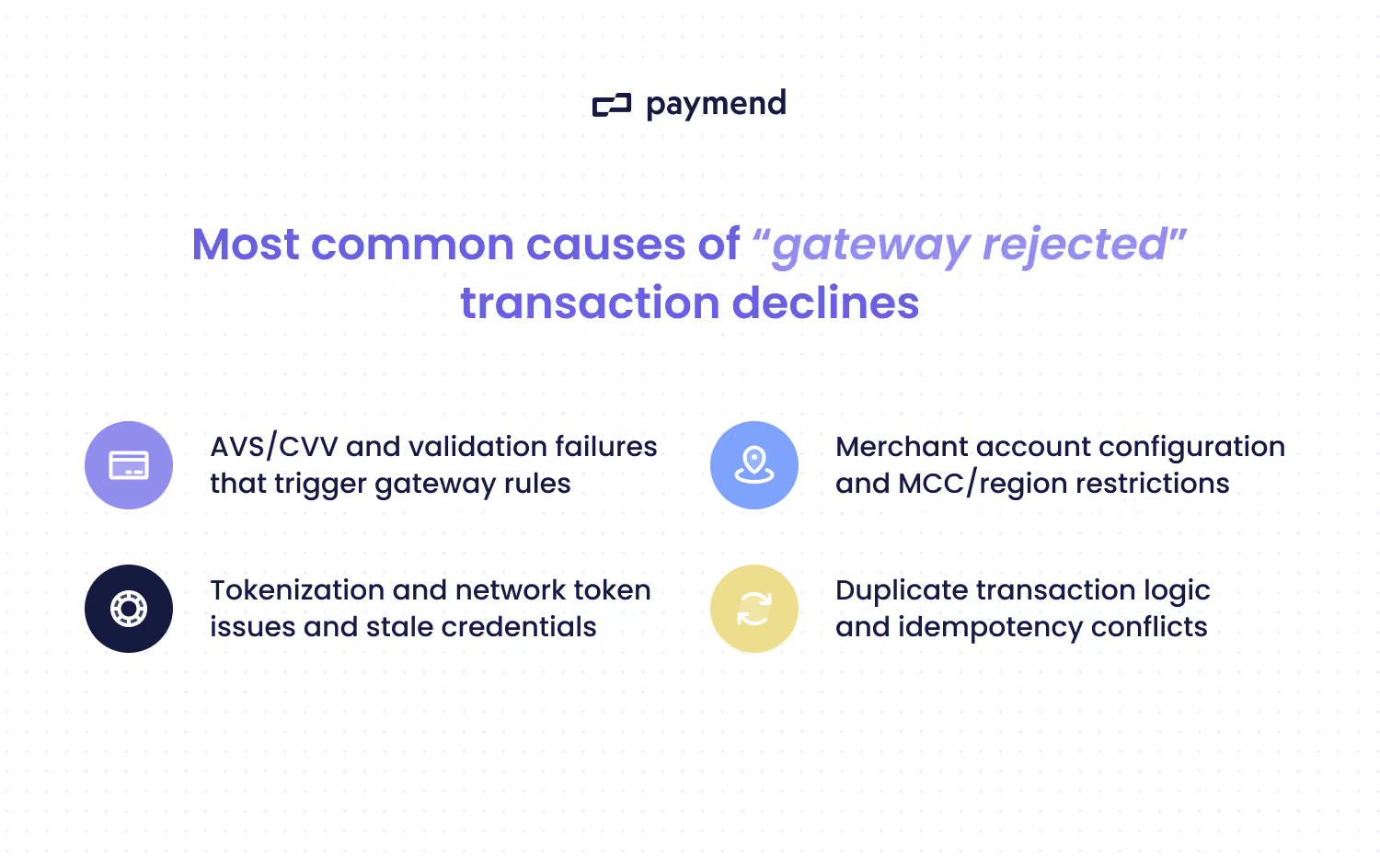
4 Most common causes of “gateway rejected” transaction declines
1. Validation failures
These errors are expensive because they create preventable hard stops. Some common triggers include:
- Invalid or missing required fields, such as postal code.
- Bad formatting. For example, unsupported symbols.
- Unsupported currency or country combinations.
- Inconsistent billing details, such as a postcode mismatch.
A tell-tale sign of validation failures could be that there is a rejected cluster around a specific checkout flow, device type, locale, or integration version.
2. AVS and CVV rule enforcement inside the gateway
Some gateways (or gateway-side fraud tools) enforce strict Address Verification System (AVS) and Card Verification Value (CVV) rules, blocking transactions. This is especially true if you configured “decline on mismatch” logic.
You could notice patterns such as AVS mismatches on international cards, non-standard address formats, or a missing CVV. Alternatively, you might see overly strict “must match” settings for specific BIN ranges or geos.
This common cause is obvious when you get lots of “gateway rejected” with minimal issuer context. Sometimes, it will disproportionately impact mobile or cross-border buyers.
3. Velocity limits and burst controls
Gateways and gateway-adjacent controls often throttle activity to reduce fraud and abuse. These controls can trigger on legitimate spikes, such as promos and payday purchasing surges. This problem occurs when there are too many attempts per card or IP address, or too many transactions on an API key, in a short window.
4. Account constraints
Sometimes the gateway rejects the transaction because the account can’t accept it. Examples of this mistake include card brands not enabled on a specific merchant account ID (MID) and a currency not supported on that account. You’ll notice when the same card often succeeds via an alternative gateway or MID, yet it fails consistently on one route.
How to diagnose “transaction declined - gateway rejected” quickly
The goal of diagnosing “transaction declined - gateway rejected” is to understand whether the authorization ever reached the network/issuer. And, if not, which gateway rule or account constraint stopped it. Here’s how you can figure it out.
Step 1: Confirm whether the issuer ever saw the authorization
You can start with the simplest signal and ask whether you have a network or issuer response at all. If there’s an auth response code from the network or issuer, you can treat it as downstream of the gateway (e.g., processor) rather than a pure gateway reject.
On the other hand, if there’s no response from the network or issuer, and the failure is tagged as “gateway rejected,” you’re dealing with gateway-side logic or validation. You can always compare the gateway event timeline to the processor and acquirer logs. If the attempt never shows up downstream, the gateway blocked it.
Step 2: Pull the machine-readable rejection fields
“Transaction declined - gateway rejected” is just a label. So, you need to find the machine-readable fields that triggered it. In your gateway logs, you can pull things like:
- Gateway errors and reason codes
- Rule IDs and risk rule names
- Validation error fields
- Duplicate and replay protection indicators
- Account identifiers
- Routing identifiers
It’s important not to just stop at the decline message, as you’ll end up loosening fraud controls based on the wrong problem. If you’re dealing with high volume, tools (including generative AI) can help summarize reason-code clusters and route-level patterns.
Step 3: Run route comparisons to isolate constraint vs customer risk
Occasionally, having the same customer and the same card, but a different route, works. If the payment succeeds via another gateway or MID but fails on one route, you can point to account constraints or route-specific rules.
If the gateway-rejected failures over-index on things like cross-border or mobile payments, you can likely blame it on AVS or CVV enforcement or fraud rules. If you want to separate false positives from truly high-risk traffic, look at whether the rejects cluster around a route or cohort versus whether they cluster around abuse-like behavior.
False positives usually over-index on specific geos or devices. So, you often see the same card succeed on an alternative route. Truly high-risk traffic tends to show noisy patterns, such as high attempt velocity across many cards.
Step 4: Classify payments into recoverable
Some transactions are valid and high-intent but are blocked by conservative gateway-side logic that would raise fraud exposure or weaken account health if controls were loosened.
You’ll know if the transaction falls into a recovery pattern when legitimate customers get flagged, or there is too much blocking during instances like promotions. The payment rejections might correlate with demand spikes and look like real purchase intent, but the gateway blocks before issuer context is available.
Dead-end gateway rejections sometimes show up with no meaningful issuer response to learn from. In this context, you can’t optimize approvals in the usual way because the attempt never becomes a real issuer decision.
So, you could relax a rule to let more payments through, but that increases fraud and chargeback exposure. Instead, keep your gateway controls conservative and route only eligible declined card transactions into recovery. Paymend is built for this: it takes ownership of eligible declined card transactions and retries them on Paymend’s own merchant accounts. There’s no checkout disruption and no customer re-authentication.
How to fix “transaction declined - gateway rejected” for good
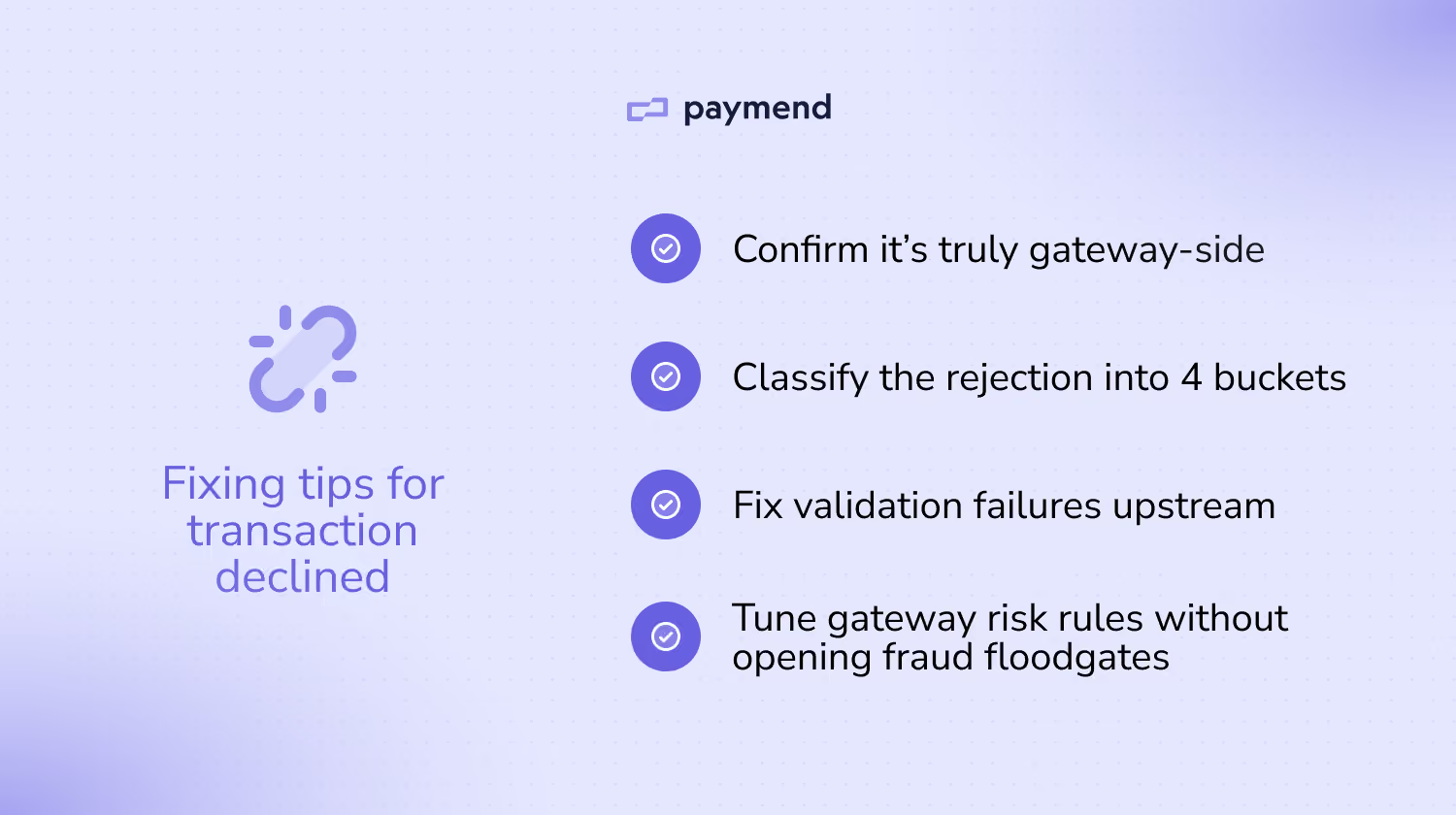
1. Eliminate preventable hard-stop rejects first
This step is about making sure every authorization request is well-formed and compliant, so the gateway has no reason to auto-reject it before it can even be evaluated properly. You can standardize request validation by enforcing required fields, such as postal codes and countries, before the gateway sees the request. Standardizing the formatting helps, too.
2. Fix gateway-side rule misconfigurations without weakening risk
Another fixing tip is to turn global, binary settings into targeted policies. This step ensures legitimate customers aren’t rejected just because their address data doesn’t conform to one format. You can avoid blanket “decline on mismatch” across all geos and address formats, and apply rules by region and card type rather than global settings.
3. Remove account and route constraints permanently
It’s important to only send transactions to MIDs or routes that are actually configured to accept them, so you don’t generate avoidable rejects that are setup issues. After all, a lot of gateway rejects are just capability mismatches.
You can start off by auditing your route capability matrix, including card brands enabled per MID, country or region restrictions, and supported currencies and settlement currencies. For example, you could build a simple internal route eligibility check so transactions don’t get sent to routes that can’t accept them. Treat this like project management implementation and assign owners across each team.
4. Stop velocity rules from blocking real demand
Another factor to consider is calibrating throttle rules to distinguish fraud-like repetition from real customer demand. Velocity controls during predictable peaks are useful, but they can punish legitimate bursts.
You can tune burst controls around legitimate demand by raising thresholds or change windows during prompts or known spikes. Limit attempts per key identifiers, and separate velocity policies for high-risk signals vs high-intent patterns so you’re not treating both as the same.
5. Recover what you can and fix the issue for good
After you fix the preventable issues, the remaining rejects are often valid but blocked. While keeping your gateway rules conservative, you can send eligible declined card transactions into recovery rather than forcing more risk.
This step is about recovering high-intent revenue without trading off fraud exposure or weakening the controls that keep your core payment stack healthy. Even after you’ve cleaned up validation and routing, you’ll still see legitimate customers blocked by gateway-side logic. Rather than writing off the revenue or loosening controls on your own accounts, you can convert false declines and failed card payments into settled payments with a recovery engine.
Recover eligible declined card transactions to boost revenue
Fixing “transaction declined - gateway rejected” involves fixing the preventable causes, and then deciding what to do with the remaining valid demand that still gets blocked. If you want this problem to stop resurfacing every time you add a new gateway route, you’ll need to recover the eligible declined card transactions you still want to save.
Paymend gives you a cleaner option: send your eligible declined card transactions, and Paymend takes ownership of recovery by reprocessing those declined card payments on Paymend’s own merchant accounts. It’s not a smarter retry tool; it’s a full liability recovery path behind eligible declines. Putting a recovery path behind the remaining eligible declines helps you achieve the outcome finance teams care about: higher conversion and less revenue leakage.
Ready to see how Paymend recovers declined card transactions behind the scenes? Book a demo today.
Paymend is committed to helping businesses make informed decisions about payments and revenue recovery. We strive to provide accurate, practical, and transparent content that meets the high standards we apply across our business.




.svg)