









Payment Gateway Integration: A Step-by-Step Guide

On this page
When you scope a payment gateway integration project, the requirements usually seem straightforward: you connect to the gateway, and you take payments. Most merchants view integration as a binary success, as in either the API responds, or it doesn't, but the real complexity lies in the failure modes that occur after checkout.
Issues like declines, timeouts, webhook gaps, duplicate attempts, capture mismatches, and reconciliation drift often remain invisible. While the average false decline rate is estimated at 1.51% of e-commerce sales, that number hides a wide range: lower-risk domestic e-commerce brands often see materially lower rates.
Also, high-ticket, international, and cross-border transaction profiles can suffer significantly higher false-decline levels. At scale, even a “low” false decline rate compounds into meaningful revenue loss, projected at nearly $265B in lost e-commerce revenue by 2027.
To recover that revenue, you need an integration built for failure modes. You also need a recovery layer that can salvage eligible declined card transactions that issuers (and sometimes gateway or processor risk controls) misclassify as risk.
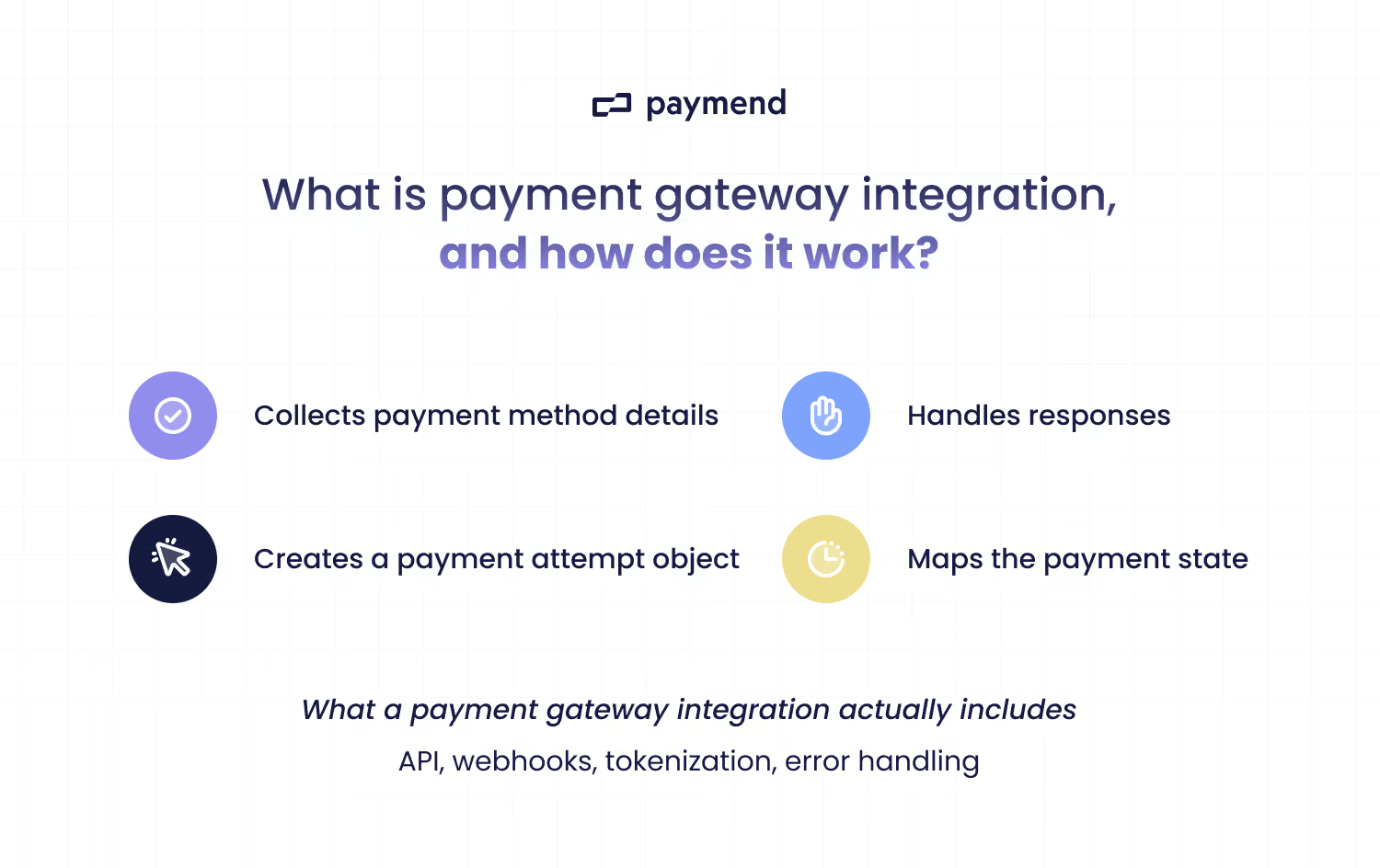
What is payment gateway integration, and how does it work?
A payment gateway integration is the API-driven connection between your application and a payment gateway or PSP, which routes transaction data to the processor/acquirer and returns the issuer's authorization response.
Your payment gateway integration is responsible for:
- Securely collecting payment method details
- Creating a payment object/transaction record (provider-dependent) to track the transaction’s lifecycle
- Handling the standardized responses returned via the gateway/processor, including issuer/network response codes.
Managing decline logic within your payment gateway integration
Your payment gateway integration is tested when a transaction does not go through as planned. The gateway returns response codes that reflect issuer decisions or gateway or processor failures.
Your integration must interpret these codes to trigger the right next action, aka. Retry rules and order-state updates. The key to minimizing revenue loss is distinguishing between integration success and payment success. A valid API response doesn’t mean the issuer approved the payment.
Once your system can isolate these "false" declines, you can route these eligible transactions into a recovery layer that operates alongside your primary gateway to capture revenue that would otherwise be lost.
Payment gateway integration: A step-by-step guide
The pre-integration checklist
It's critical to define the operational scope of your payment gateway integration before you begin the technical build. Skipping it creates rework and compliance risk once the system is live.
Take care of the basics before you configure the gateway:
- Payment methods: Card types and wallets you need to support.
- Currencies: Specific currencies you need to support for both transaction processing and settlement.
- Regions: Where you sell and where your gateway can process.
- Compliance constraints: Your PCI scope and any required security standards.
- Tokenization support: Considering whether your gateway supports Visa Token Service (VTS) or Mastercard Digital Enablement Service (MDES) and lifecycle management.
Establish data requirements for reconciliation
To ensure your internal ledger stays synchronized with the payment gateway's records, your integration must capture and store specific identifiers for every transaction. You need a consistent trail from authorization through settlement. Here's what needs to happen:
- Unique IDs: Pass Order/Invoice IDs in gateway metadata so every gateway record ties back to your ledger.
- Metadata: Identify the business-critical fields required by your ledger, such as customer IDs or SKU details, and include them for reporting and dispute workflows.
- Timestamps: Store provider timestamps for auth, capture, or refund and normalize to UTC in your ledger.
- Settlement references: Store payout and batch IDs so you can match transactions to bank deposits.
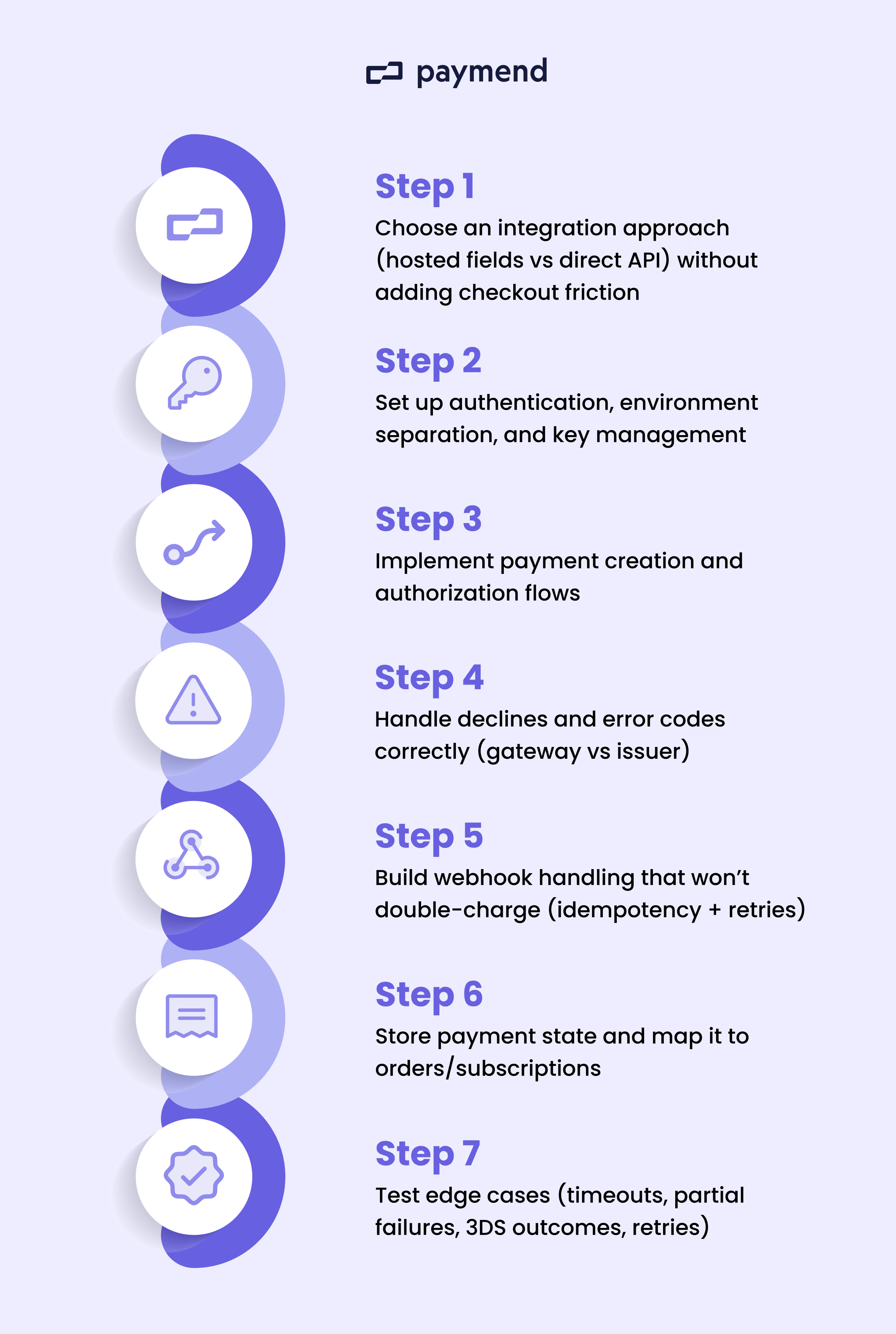
Set up authentication, environment separation, and key management
The first step is to configure separate sandbox and production environments. You should store API keys securely to prevent unauthorized access and support API security.
How to implement:
- Maintain separate sandbox and production environments.
- Store secret API keys in a secrets manager (or server-side environment variables).
- Enforce automated access control for production credentials.
Implement payment creation and authorization flows
Once a payment record exists, authorization requests approval from the issuer. If approved, the issuer typically places a temporary hold. This step ensures that the transaction lifecycle begins with accurate data and is correctly linked to a specific customer order.
How to implement:
- Decide whether you capture immediately or authorize, then capture later.
- Include business-critical identifiers (e.g., internal order ID) in the payment record for tracking and support.
Handle declines and error codes correctly
Your system must distinguish between a technical failure in your integration and a financial decision made by the bank. Correct classification determines whether you retry, route, or stop.
How to implement:
- Map failures to their source (e.g., gateway or processor error versus issuer decline).
- Categorize declines into soft (potentially recoverable) vs hard (generally requires updated payment details). Some “soft” issuer declines are really authentication/risk-confidence problems. For these cases, triggering 3DS 2.0/2.1 can convert a decline into an approval by adding issuer-visible authentication data and shifting the risk decision.
- Log the full response data for every failed transaction to provide a clear record for troubleshooting and to help identify patterns in payment failures.
Build webhook handling that prevents duplicate orders and reconciliation errors
“Webhooks are part of the gateway’s e-commerce APIs surface area. Messages can arrive late, be sent multiple times, or arrive out of order, so you must build your system to be idempotent. This is a technical safeguard that ensures a notification is only processed once.
How to implement:
- Deduplicate events using the provider’s event ID (or a deterministic key based on payment ID and event type).
- Verify webhook authenticity (e.g., signatures and IP allowlisting).
- Handle out-of-order updates so success can’t incorrectly override your internal state.
Store payment state and map it to orders
Successful integration requires storing the current payment state in your database. Your system must be set up to map these states to your internal orders.
How to implement:
- Store the payment state of every transaction in your database.
- Map the gateway’s specific states to your internal order stages, such as "pending," "paid," or "failed," to keep your business records accurate.
- Link gateway transaction IDs to internal order records for reconciliation.
Test edge cases
Edge cases are scenarios that happen outside of a normal, successful transaction, such as network dropouts or bank-enforced security checks. You must verify how your payment gateway integration reacts to these failures in a sandbox environment before going live.
How to implement:
- Audit partial failures by simulating scenarios where a payment succeeds but your webhook listener fails to update your database.
- Test timeout behavior to avoid duplicates or lost orders.
- Confirm retry logic by checking that your system triggers or ignores retries based on decline categories.
- Test your handover logic so that eligible issuer declines can be routed to a recovery layer.
- Simulate partial authorization if the issuer approves less than the order total. You can confirm your order isn’t marked “paid” and capture logic that doesn’t over- or under-capture.
3 Common payment gateway integration mistakes that cause revenue loss
Mistake #1: Not treating declines as a product or system problem
Many merchants fail to treat declines as a product or system problem, often writing off a significant percentage of failed transactions as a normal cost of doing business. But if you treat every failed transaction as final, you are likely losing recoverable revenue because your checkout logic isn't programmed to see the difference between an issuer decision, a true card/customer issue, and an integration or processing failure.
A hard decline (like a stolen card) is a dead end, but a technical failure (like a temporary connection glitch) can often be fixed with an immediate retry. If your system just shows a generic "Error" for everything, you are turning away customers who actually have the money to pay. You should evaluate what percentage of declines you are currently writing off and identify where those declines actually show up (and where they don’t). In practice, that’s lost revenue and a silent conversion optimization tax.
Mistake #2: Weak payment-state and webhook design
Fragile webhooks and state management cause missed captures and skew financial records. If you can’t track state through delays and retries, your records drift from the gateway.
If your system isn't idempotent, one payment can create duplicate orders, or a delayed "success" message could arrive after your system has already timed out. Finally, don’t let payment data live in silos. Centralize payment state so finance and fulfillment operate from the same transaction record.
Mistake #3: Building retry logic inside the gateway integration and calling it recovery
Building basic retry logic directly into your gateway is a common mistake that is often confused with a true recovery strategy. Retrying declines on your own accounts can damage long-term approval rates.
Repeated retries on your own merchant accounts can increase decline ratios and trigger acquirer or issuer risk controls over time. This can eventually destabilize your merchant health and lead to even higher global decline rates as banks begin to flag your account for high failure volumes.
Routing eligible declines to external infrastructure lets you recover revenue without increasing decline pressure on your own accounts.
Where revenue recovery fits after your gateway integration
Even with a flawless technical execution, the final transition to your payment integration gateway going live often reveals that the biggest losses happen at the edges of your system. Technical timeouts, missed webhooks, and subtle reconciliation gaps can bleed revenue, but the most significant commercial constraint remains the behavior of the issuers themselves. Issuers will still decline good transactions based on conservative risk models that have nothing to do with your code quality.
Payments that fail despite correct technical implementation and clear customer intent. Paymend provides a dedicated revenue recovery layer for declined card payments by retrying these legitimate transactions on its own infrastructure. It assumes 100% fraud liability and operates outside your primary merchant account to ensure that your risk profile remains protected. Paymend sits alongside your existing stack to capture and recover the revenue that your current processing setup is forced to leave behind.
Book a Paymend demo to eliminate the revenue leaks in your payment gateway integration and start recovering false declines today.
Paymend is committed to helping businesses make informed decisions about payments and revenue recovery. We strive to provide accurate, practical, and transparent content that meets the high standards we apply across our business.




.svg)